Integrations
Plays well with the tools you already pay for
Every integration is a guided connect flow, sign in, authorize, done. BenchKey is the system of record; your existing tools keep doing what they’re good at.
Live today
Quo
Live Recommended · what we run in-storePhone & texting
Business calls and texting in one app, and the deepest phone integration BenchKey has: texts, calls, voicemails, and even call transcripts all land on the right ticket. It is what we run at our own store.
- 1. Connect your Quo account (formerly OpenPhone) in settings, one API key, webhooks configure themselves.
- 2. Two-way texts thread onto tickets and leads automatically. The whole team works from one shared business number.
- 3. Incoming calls pop a card with the caller and their open tickets; recordings, voicemails, and transcripts attach to the ticket, so when a customer says you never called, you have the receipts.
Stripe
LivePayments
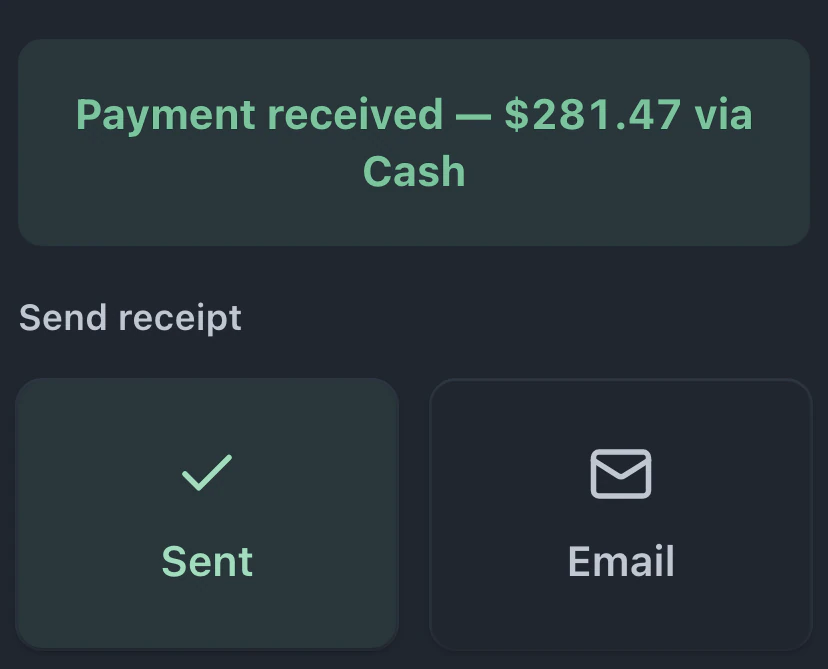
Card payments by secure checkout link and on Stripe Terminal readers at the counter, with invoices that mark themselves paid and refunds that reconcile to the ticket.
- 1. Connect your Stripe account with one guided sign-in (Stripe Connect). No API keys to copy.
- 2. Customers pay invoices by card through a secure Stripe checkout link, and the invoice flips to paid on its own the moment the payment lands.
- 3. Counter payments run on Stripe Terminal readers (S700/WisePOS). Refunds, full or partial, reconcile back onto the right ticket, and replay protection means a double-click or a re-sent webhook can never double-book a payment.
Square
LivePayments
Card payments at the counter, by link, and in the portal, with reconciliation that flags any payment that does not match its ticket.
- 1. Connect your Square account with one guided sign-in. No keys to copy.
- 2. Card payments run at the counter, by link, and in the portal. Money lands in your Square account as usual.
- 3. BenchKey reconciles recorded payments against Square and flags anything that does not match, so mismatches surface the same day.
Affirm
LiveFinancing
Monthly payments on big invoices. Turns "I’ll think about it" into approvals on four-figure repairs.
- 1. Connect Affirm once in settings.
- 2. On qualifying invoices, customers see a monthly-payments option in the payment flow.
- 3. Affirm pays you up front; the customer pays Affirm over time. Approval is recorded on the ticket like any other payment.
Twilio
LiveSMS
Two-way text on your own business number, threaded onto tickets. Webhooks configured automatically.
- 1. Connect your Twilio account; BenchKey configures the webhook automatically.
- 2. Texts send from your own business number, and replies thread back onto the right ticket.
- 3. Status automations can fire SMS as tickets move, hands-free.
RingCentral
LivePhone & texting
Texting and incoming-call pop-ups on the RingCentral number your shop already answers.
- 1. Connect the shop’s RingCentral account with one sign-in — the texting number and message routing are set up automatically.
- 2. Customer texts send and receive on your RingCentral number and thread onto the right ticket; incoming calls pop the customer with their open tickets.
- 3. One-time carrier step: complete RingCentral’s US business-SMS registration (carriers require it for daily customer texting), and you’re set.
PrintNode
LivePrinting
Device labels at check-in and receipts at the register, on the thermal printers you already own.
- 1. Install the free PrintNode client on the computer your printers plug into and connect it in settings.
- 2. Device labels print automatically at check-in; receipts print at the register.
- 3. Failed jobs retry on their own, and anything reprints from the ticket.
Dymo
LivePrinting
Device labels formatted for the Dymo label rolls you already load, printed at check-in and from any ticket.
- 1. Choose Dymo label templates in Documents & Labels and pick your label size.
- 2. Device labels come out sized for your Dymo rolls at check-in and from any ticket.
- 3. The label preview shows exactly what prints, with dates formatted to your shop’s locale.
Shippo
LiveShipping
Carrier shipping labels for mail-in repairs, bought and printed without leaving the ticket.
- 1. Add your Shippo API key in Settings → Integrations & Shipping and toggle on the carriers you use.
- 2. Buy and print shipping labels for mail-in devices right from the lead or ticket.
- 3. Tracking numbers attach to the ticket automatically, with live tracking links.
QuickBooks Online
LiveAccounting
Stop re-keying sales into your books. Customers, invoices, payments, and refunds push to QuickBooks on their own, and anything ambiguous is held for your review instead of double-posted.
- 1. Connect with one Intuit sign-in, then pick the QuickBooks item (and optional tax code) your sales should post against. Nothing syncs until that mapping is set.
- 2. Turn on auto-sync and paid invoices flow to QuickBooks minutes after the money lands, customers, invoices, payments, and refunds as credit memos. Or push any single invoice with its own "Sync now" button.
- 3. Every push is idempotent, retries and re-clicks cannot double-book. If an invoice’s math doesn’t reconcile to the cent, or something already synced gets edited in BenchKey, it stops and flags for review instead of quietly corrupting your books.
Xero
LiveAccounting
The same books-stay-clean sync, for Xero shops: contacts, invoices, payments, and credit-note refunds pushed from BenchKey, never typed twice.
- 1. Connect with one Xero sign-in, then map your default account code and the bank/clearing account payments should post to.
- 2. With auto-sync on, paid invoices push to Xero shortly after payment, invoices as ACCREC, refunds as credit notes, all matched to the right contact.
- 3. Same safety net as QuickBooks: idempotent pushes, exact-to-the-cent math checks, and a review queue for anything edited after it synced, so a rename or an amount change never becomes a duplicate in Xero.
PayPal
LivePayments
Let customers pay invoices with PayPal, and the invoice marks itself paid the moment the money lands.
- 1. Connect PayPal with one guided sign-in (PayPal Connect). No keys to copy.
- 2. Customers pay an invoice or portal link with PayPal, and the ticket flips to paid on its own when the payment settles.
- 3. Refunds, full or partial, run from the invoice and reconcile back onto the ticket. PayPal is an online checkout option, so it appears on payment links and the customer portal rather than the counter register.
MobileSentrix
LiveParts supplier
Order parts on MobileSentrix, paste the order number, and BenchKey tracks the shipment against the tickets waiting on it.
- 1. Place your order on mobilesentrix.com the way you always do, then paste the order number into BenchKey.
- 2. The part-on-the-way card on each waiting ticket shows the carrier, tracking link, ETA, and latest scan, and one order can cover many tickets at once.
- 3. When the carrier scan says delivered, the parts mark themselves arrived and the techs waiting on them get pinged. (Tracking and auto-arrival today; in-app purchasing is not part of the integration.)
Coming soon
PhoneLCDParts
Coming soonParts supplier
Parts ordering wired into your inventory and tickets.
Run on something else?
Integrations get built in the order shops actually need them. Tell us what your counter runs on: support@benchkey.com
Put your shop on BenchKey
Set up in an afternoon. Import your customers and tickets, build your check-in flow, and send your first live status link the same day.
Beta launches in ~3 weeks · Beta invites go out in small groups
Founders pricing: the first 50 shops lock Pro at $59/mo for life · see pricing