Run your mail-in repair business in BenchKey
A submitted customer request creates the ticket. Device details, estimates, messages, payment and return tracking are saved with the repair.
Follow a mail-in repair both ways
The form, repair and return trip stay on one ticket, with carrier tracking for labels bought through BenchKey.
-
Submit the form
Customer Sofia Nakamura iPhone 15 Pro
The customer enters contact details and a complete return address, answers the shop's intake questions and agrees to its service terms.
-
Create the ticket
Shop, automatic #23085 Waiting To Be Mailed In
BenchKey creates the ticket in the shop's mail-in queue. The customer gets a ticket number and packing slip on the confirmation page.
-
Send the box
Customer and carrier USPS 9400 1112 0621 3800 2308 50 In transit
The customer ships the box using a free label if the shop offers one for their region, or arranges shipping with their own carrier.
-
Check the device
Carrier and shop #23085 Package Received
Staff match the packing slip to the ticket, check the device and mark it received to move it into the work queue.
-
Send the estimate
Shop Pending Approval
The shop diagnoses the device and sends an estimate to the customer's private portal, where the approval decision is recorded.
-
Approve the estimate
Customer Sofia Nakamura Estimate approved
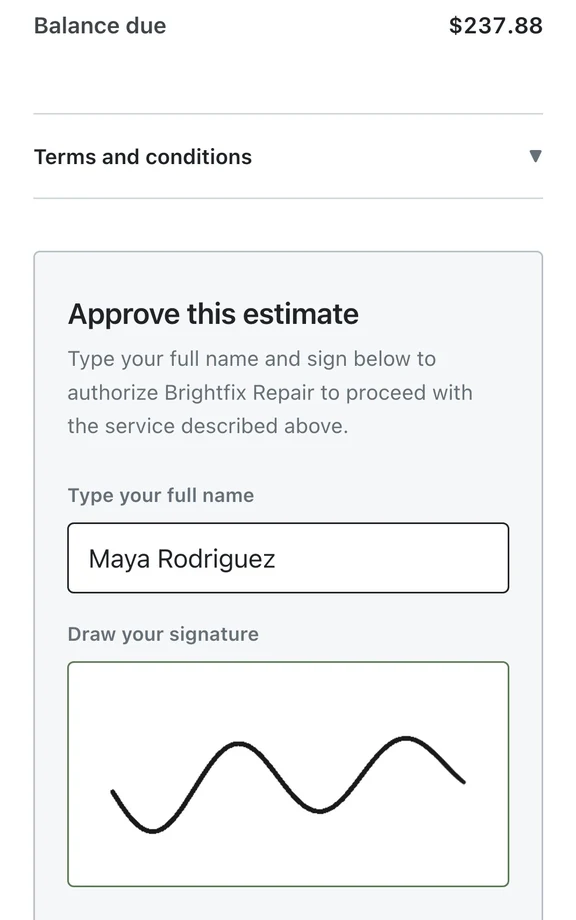
The customer uses the private portal link to approve the estimate. No account, app or password is needed.
-
Repair the device
Shop iPhone 15 Pro In Progress
The shop carries out the repair and updates the ticket. The customer follows progress through the portal timeline.
-
Send it back
Shop and carrier UPS 1Z B7R 429 03 2308 5008 Shipped
Staff buy the return label from the ticket and hand the packed device to the carrier. Tracking is emailed when automatic shipping updates are enabled.
-
Back with the customer
Carrier Sofia Nakamura Delivered
The carrier confirms delivery to the customer. BenchKey updates the return shipment and adds the delivery note to the ticket.
Sender access to repair status
Customers use the same private link throughout the repair. Arrival and return shipping appear on its timeline, so they can follow progress while the device is away.
- Approve the estimate
- Pay through your connected payment provider
- Message your shop about the repair
Prepare your shop for mail-in repairs
Set up your form, service terms, messages and providers before sharing the public mail-in link.
Business$149a month for your first store
-
Business plan
Mail-in forms, shipping labels, carrier rates and follow-ups are included in Business. Each store gets the full Business plan.
-
Your intake form
Configure intake questions, conditional sections, service tiers and terms in the form builder. The public form needs this setup before customers can use it.
-
Your shipping account
Connect Shippo, set your ship-from address and select a carrier. Your provider charges postage, and you choose which regions qualify for free inbound labels.
-
Staff at the bench
Staff check the device, record arrival, diagnose and quote, complete the repair, then pack it, buy the return label and hand it to the carrier.
Mail-in service plans and shipping details
Does the sender need an account?
Customers open a private link in their browser to follow progress, review the estimate and pay an invoice. No account or app installation is needed.
How do I change the intake questions?
Custom questions and conditional sections cover different repair categories. Set service options and terms before sharing the form.
How do I use labels bought elsewhere?
Manual tracking entry for labels bought elsewhere is not supported. Create inbound or return labels through a connected shipping provider in BenchKey to attach tracking. Existing tracking entries remain visible.
Are postage and payment fees included?
The Business plan includes the mail-in tools. Shipping labels and payment processing use your connected providers and may carry separate charges.
How do mail-in repairs join the walk-in queue?
Both ticket types share the workspace and can use the same queue. Statuses track the work, with customer history saved in the ticket.
The waitlist is open for repair shops
Leave your email for access updates. Your name and shop name are optional.
 Watch the product tour 3:34 Follow a repair from check-in to pickup in BenchKey