Compare software against the work at your counter
A repair your team knows well gives you a way to evaluate BenchKey at the counter and bench. Follow its records through the work before planning a move.
Choose the system you use today
Connect RepairShopr with your RepairShopr address and API token, or RepairDesk with an Offline Token or RepairDesk sign-in; import RepairQ from CSV or Excel files.
- RepairShopr Shop workflows, monthly plans and the direct RepairShopr import. View comparison
- RepairDesk Test phone check-in, parts, approvals and pickup, then review the RepairDesk import. View comparison
- RepairQ Evaluate store access, stock, registers and reports, with a CSV move from RepairQ. View comparison
Evaluation worksheet
Test a familiar repair in both systems
Run each workflow with a real repair in your current system and BenchKey, note the differences, and follow the linked guides for BenchKey's steps. Keep evaluating if a workflow you need is missing.
BenchKey planStandardOn every plan
Device intake · Estimate approval · Partial payment · Refund · Import · Export
| Workflow | What to test | BenchKey plan | Guide |
|---|---|---|---|
| Device intake | Have staff create a ticket and record condition, then review the agreement and condition at the kiosk and sign that ticket. | Standard includes 75 new tickets monthly; imported tickets never count. Online booking requires Pro. | Check-in & kiosk |
| Estimate approval | Send an estimate, test status page approval and authorized approval on the customer's behalf, then convert it to an invoice. | Every plan includes status page approval and online payment. Portal messages and files require Pro. | Sending and approval Estimates & approvals |
| Partial payment | Take a partial cash payment or apply a previous deposit, check the balance, then collect the rest later and check again. | Deposits taken during online booking require Pro. | Deposits and partials Invoices & payments |
| Refund | Refund card and cash payments from the register or ticket; check links to the original payments, register feed and reports. | Card refunds use the original provider; pending isn't complete. QuickBooks refund sync requires Pro. | Refund a payment Common tasks, quick answers |
| Import | Import a small sample, customers first; open five familiar customers, check tickets, invoices and totals, then read the row report. | Importing is on every plan; imported tickets never count. Business includes moving your data for you. | Import your data |
| Export | As owner, download the full export ZIP, open its CSV files, and check what's excluded without the sensitive data option. | Owners can export up to 3 times a day. | Export workspace records Cancel, export or delete your shop |
Keep evaluating if either system lacks a workflow your shop depends on. See the pricing page for BenchKey's monthly plans and prices.
Read the import guides
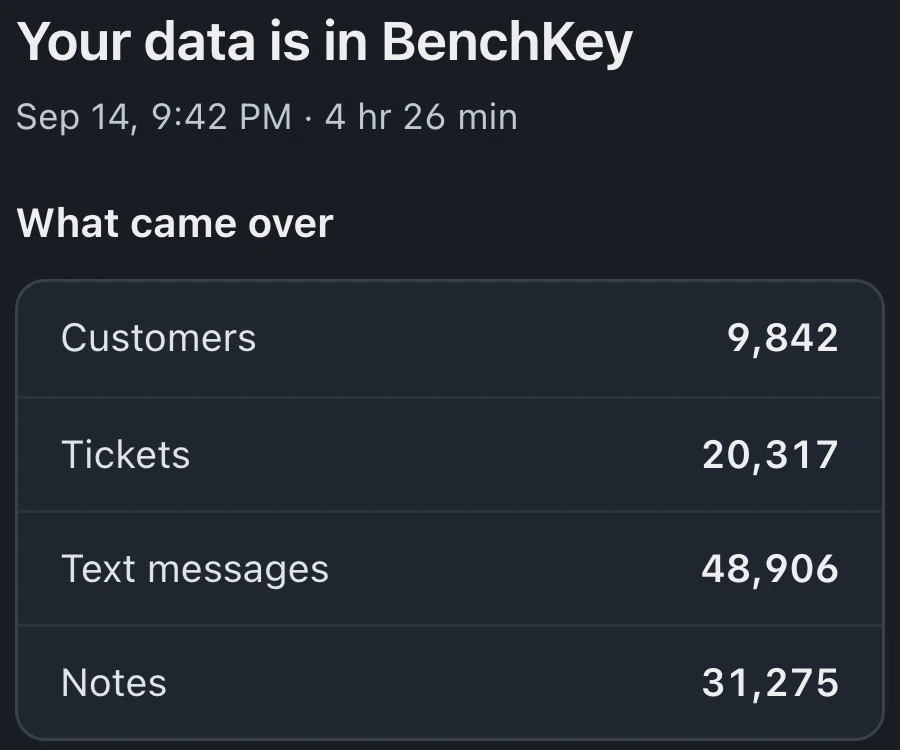
See how to create a token or prepare export files, what comes over, and how to check the result.
- RepairShopr import guide Switch from RepairShopr Create a RepairShopr API token, connect it in BenchKey, see what comes over and how long it takes, then check the result before you switch the counter.
- RepairDesk import guide Switch from RepairDesk Connect RepairDesk with an Offline Token (or RepairDesk sign-in), see what comes over and how long it takes, then check the result before you switch the counter.
- Step-by-step guide Import your data Import supported repair records from RepairShopr, RepairDesk or files. Review field mapping, record previews and Undo limits before moving your data.
The waitlist is open for repair shops
Leave your email for access updates. Your name and shop name are optional.
 Watch the product tour 3:34 Follow a repair from check-in to pickup in BenchKey