Manual$167.50
Sep 28, 2026 · -
- Stock
- 6 expected · 4 lines
- Source
- Manual Tracking
- Action
- Check in →
Stock counts, costs and selling prices share a catalog. Parts attached to repair tickets appear for review in billing, and low-stock flags show which items need attention.
Watch it work 1:12Included in StandardProBusiness
Inventory and parts guideAn item record contains its stock code, cost and selling price. Count what is on the shelf before entering opening stock.
Choose a catalog part on the ticket's estimate. Its selling price fills in and the line links to stock. The estimate leaves stock unchanged and carries the link into the invoice.
Before completing billing, verify the parts on the invoice. Then inspect the recorded stock movement. Attaching a catalog part alone does not record a completed sale.
Recording an order leaves stock unchanged. In Receiving, confirm delivered quantities and note shortages or damage. “Save and finish” adds the received parts to stock.
At the bench and retail counter, staff use the same catalog, with reorder thresholds for items you need to replenish.
Minimum quantities determine when an item is flagged. BenchKey marks stock at or below that threshold for staff to review before ordering.
Attach a barcode to a catalog item by scanning it. Future scans find that item when staff need its stock record.
Sell catalog items through quick sale at the counter. Those sales reduce stock automatically using the same catalog that supplies repair parts.
Spreadsheet imports bring in inventory quantities and prices. Inspect the preview before committing the records.
On Pro, AI reads a PDF, photo or pasted invoice text. Review quantities and costs, use “Match existing” or “Create new item” for stock lines, then choose “Receive stock” to save.
In Counts, compare shelf quantities with your records. Review mismatches in “Reconcile inventory” and choose a reason for each correction. “Accept all adjustments” updates stock for the items you selected.
Inventory, orders and receiving are on every plan. Import invoice/photo needs Pro or Business.
Compare plans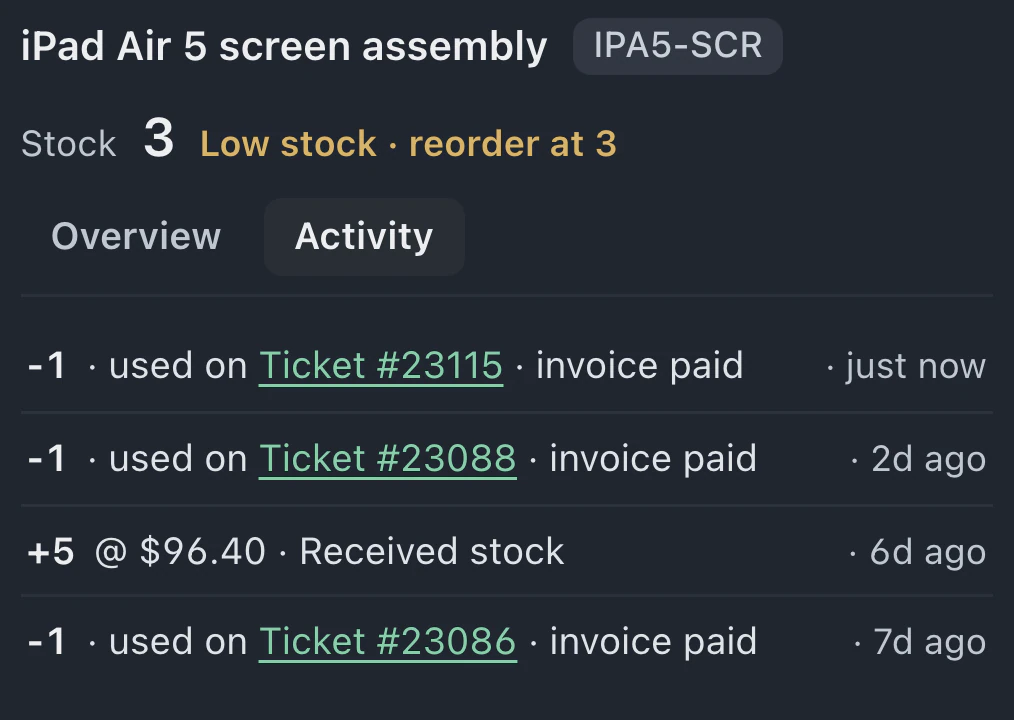
Yes. Choose Add parts, then Use 1: stock drops by one. Use Add to invoice in the parts reminder to add its cost, then set the customer charge on the line. Using that reminder does not move stock again. Adding it as a new catalog line would take stock again when the invoice is sent or paid.
Business supports a separate on-hand count at each store for the same catalog item. Select the correct store when receiving, adjusting or selling stock so its recorded quantity reflects that location's activity.
A comma-separated file can contain inventory items, quantities and prices. The importer previews the catalog data for review before any records are saved.
Leave your email for access updates. Your name and shop name are optional.
 Watch the product tour 3:34 Follow a repair from check-in to pickup in BenchKey