A RepairQ alternative for multi-store repair operations
Evaluate how each store handles repairs, retail sales and its drawer. From the owner's view, inspect stock, reports and staff access, then plan a CSV import for each store.
Follow a repair through BenchKey
-
Counter intake
Start with the customer and device in a ticket that holds the repair's later records.
-
Request approval
Send the ticket's estimate link by text. The customer reviews it on their private page.
-
Customer approval
The customer approves on their phone without an account, and the ticket's status updates automatically.
-
Record payment
Approved lines become the invoice. Cash payments stay recorded, and corrections are new entries.
BenchKey plans, access and store tools
- Standard
Solo owners handling intake, repairs and pickup
$29
a month
- One person, one store, 75 new tickets monthly
- Tickets you import are excluded from the monthly count.
- Repair timeline with customer approval and online invoice payment
- Collect payments at checkout, close the drawer and issue receipts
- Import RepairShopr, RepairDesk or files, and request a workspace export
- Pro
Staffed shops handling bookings, customer texts and on-site visits
$79$59$79a month
Founders pricing
All of Standard, plus:
- Up to 8 people, one store, unlimited tickets
- Add people within your allowance without a separate per-person charge.
- Full customer portal for messages and files
- Shop texting via Quo, Twilio or RingCentral; Quo call records and RingCentral incoming-call pop-ups
- Sync your records to QuickBooks Online
- Business
Operators running multiple stores, mail-in repairs or business customer accounts
$149$99$149a month for your first store
+
$79$59$79 monthly per additional storeFounders pricing
All of Pro, plus:
- All stores, unlimited people and tickets
- The full Business plan applies at every store.
- Run several stores with tools for managing them together
- Mail-in forms, carrier rates, shipping labels and customer follow-ups
- Have our team move your shop's data with paid Business
Store organization in BenchKey
-
Share history across company-owned stores
Stores in one workspace share customer records and repair history. Tickets, queues, register activity and stock quantities belong to each operating store.
-
Access for each person's work
Assign roles and store access to staff. Permissions govern actions such as viewing reports, managing payments and changing settings, with checks on the server for sensitive operations.
-
Parts assigned to their store
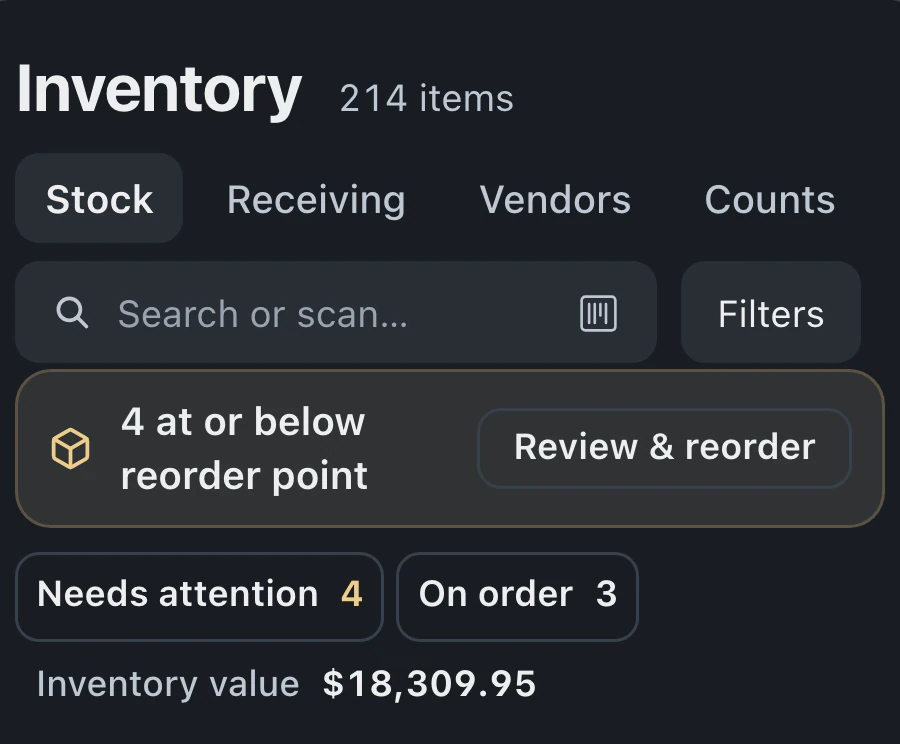
Stores share an item catalog while keeping separate on-hand quantities. Stock transfers record the source and destination, and recorded orders identify the location receiving the parts.
-
Performance reviewed by store
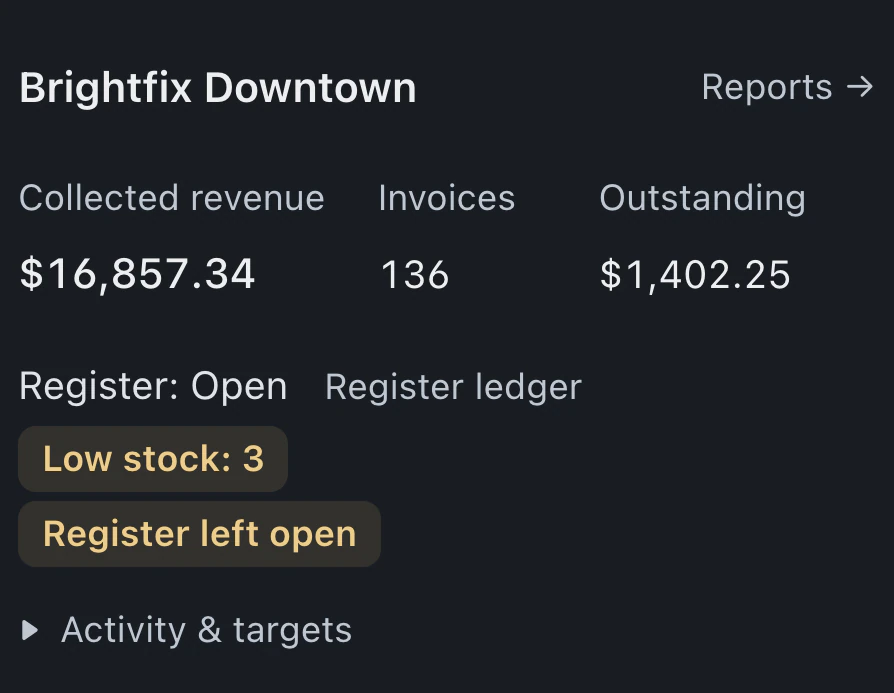
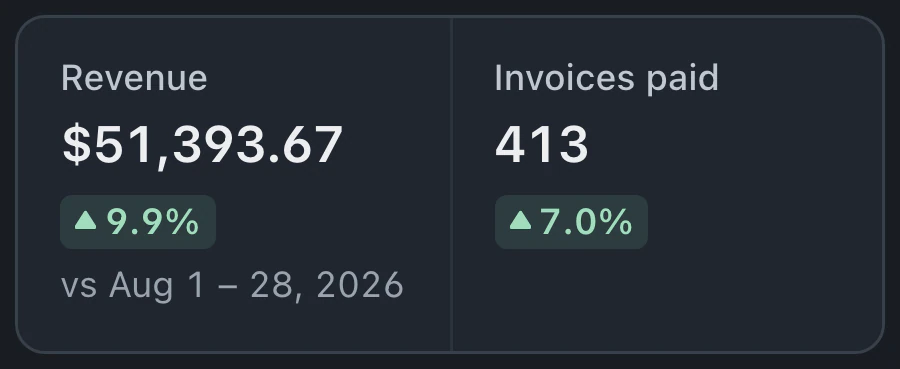
Revenue, tickets, turnaround and operating exceptions appear on the Stores dashboard. An individual store's report provides detail; totals span the stores you can access.
-
Handle retail at the repair counter
Quick Sale handles accessories and other counter sales. Repair checkout pulls the invoice from the ticket, and drawer close-out compares counted cash with the expected amount.
-
Brand oversight in a separate console
Franchisees have separate workspaces, with operating standards, royalties and network reporting managed through the brand console. Corporate access to a workspace requires that franchisee's separate permission.
Local counter work and store oversight
Start with how the stores are owned
List which stores share an owner and which belong to franchisees. Company-owned stores share customers and staff in a Business workspace. Each franchisee has its own workspace and plan, with network reporting and operating standards in the brand console. Entry to a franchisee's workspace requires separate consent. Test the roles your organization needs: a counter employee, a store manager and someone overseeing the operation. Confirm that each sees the right stores and can perform the intended actions.
Trace stock through a retail sale
Test an accessory sold at the counter and a part used on a repair. Stores share BenchKey's catalog with separate stock quantities. Quick Sale handles the accessory; repair parts pass through the ticket and invoice workflow. Include a transfer between locations and inspect the recorded movement. If you resell devices, evaluate Buy/Sell separately: it is in beta on Pro and Business, with purchase and refurbishment costs recorded against each unit. Compare these steps with your retail requirements.
Close a drawer and review the store
Have a store manager work through checkout and cash close-out, then inspect the results as an owner. Expected and counted cash are compared, while the Stores dashboard shows register status, discrepancies and other operating exceptions. Investigate a result in the location's report. If an outage procedure matters at the counter, test the available offline workflow for manual payments. Card authorization and payment links still require a connection.
RepairQ records moved store by store
CSV or Excel import
-
01Current system
RepairQ
CSV or Excel -
02File upload
A spreadsheet or another system
Where are these files from? RepairQ -
03Column mapping
Match your columns
Check the columns BenchKey wasn’t sure about. Nothing is imported yet. -
04Import
Which store does this data belong to?
Start import -
05Results
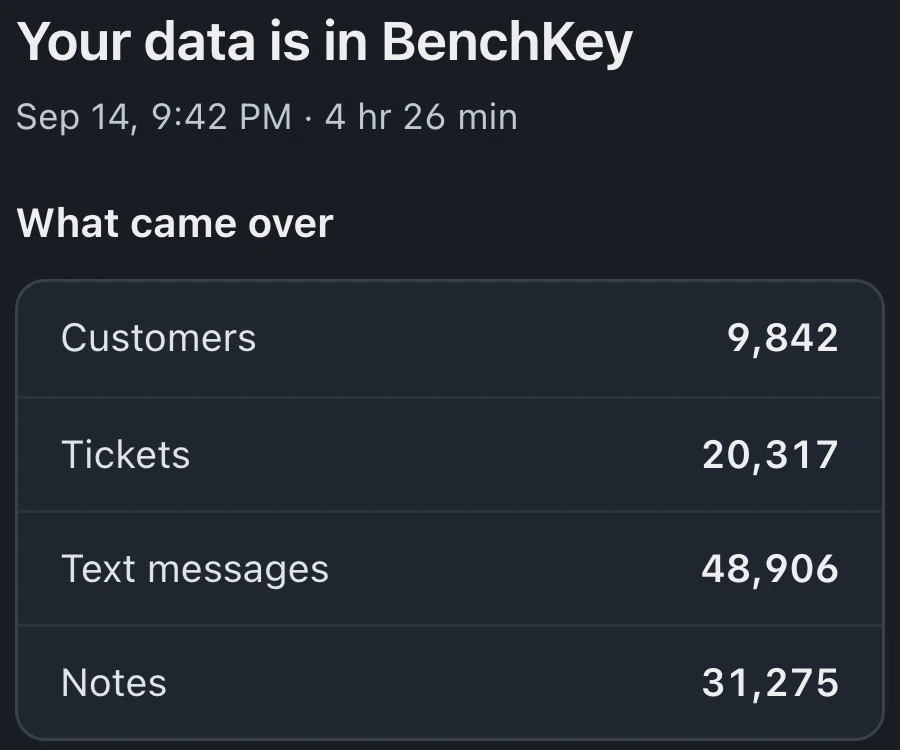
Your data is in BenchKey
Open your ticketsImport something elseUndo this import -
06Cutover
Switch store by store
Re-import each store's files into its matching store before cutover. Imported records are skipped; unclear matches are listed for owner review, never merged.
RepairQ uses file import, with no direct connection. Export CSV or Excel files for each store, select RepairQ as the source, and import one store's files at a time.
Follow the import guide: Step-by-step guide
-
01
Files organized by store
Gather CSV exports for customers, tickets, invoices and inventory. Retain the originals and identify the BenchKey store that should receive each file.
-
02
Map the sample
Upload a small file, inspect suggested column matches and fix required fields. Verify amounts and the destination store in the preview before importing.
-
03
Saved records at the destination store
Familiar customers, tickets and invoices provide a way to test links and totals. Examine inventory quantities and the row report with staff from that store.
-
04
Rehearse the store's work
After checking roles and store access, run intake, a retail sale and drawer close-out. Consult the store report before choosing a cutover time.
RepairQ migration for multiple stores
Does BenchKey connect directly to RepairQ?
BenchKey's importer accepts RepairQ records as CSV files, suggests column mappings and previews records before saving. Prepare separate files for each store, then inspect saved customer links, tickets, invoice totals and inventory.
How do warehouse locations differ from stores?
Warehouse locations are free and hold or transfer stock without opening a register. Use an operating store for counter sales, and review each location's purpose before setting it up.
Do franchisees share the same customer workspace?
Each franchisee has its own workspace and plan. The brand console provides network reporting, standards and royalty tools. Its reporting uses nightly updates; entering a franchisee's workspace requires separate, consented corporate access. Company-owned stores can share a Business workspace.
Which payments can staff take during an outage?
Offline mode is in beta and must be available and enabled for the workspace. Supported cash, check and other manual payments queue on the register and retry with the same reference to prevent duplicates. Card authorization and payment links require a connection. Preserve the register's browser data until the queue clears, then inspect the invoice and register activity.
Can I export records before leaving BenchKey?
Owners can export workspace records from Settings, subject to export controls. Inspect the archive before sharing and export before requesting deletion. Open Settings → Account → Delete shop. If self-serve deletion isn’t offered, choose Request Data Deletion under Data deletion for support confirmation. Customer erasure is a separate process.
Can a store evaluate BenchKey before the move?
Join the waitlist for invitation-based beta access. Once invited, start with staff from a representative store and use the practice lessons. Verify the local workflow and owner reports before planning the other stores.
The waitlist is open for repair shops
Leave your email for access updates. Your name and shop name are optional.
 Watch the product tour 3:34 Follow a repair from check-in to pickup in BenchKey