Requests to correct a punch
Employees choose "Request edit" on a finished shift and give a reason. The owner or someone with "Approve time edit requests" reviews it. The request and decision stay on record.
Staff clock in where they already work on repairs. Recorded shifts and payroll totals are available for review, with missed punch corrections and a view of each technician's credited job commissions.
Edit each employee's pay rate in the Payroll tab. BenchKey calculates payroll totals from those rates and recorded shifts.
Use the top bar’s Clock in button to start a shift, then choose Clock out from the running timer’s menu to end it.
Review the week's shifts and planned hours in Schedule. Choose "Publish week" when the draft shifts are ready.
Use Quick fill or Copy last week to create draft shifts. The week grid shows each person's shifts and hours, with projected labor cost before overtime for owners.
Staff request time off from Clock. Owners can see each employee's vacation balance beside their request, adjust hours or add a note, then choose Approve or Deny.
Missed punches and job credit are visible to the people responsible for checking them.
Employees choose "Request edit" on a finished shift and give a reason. The owner or someone with "Approve time edit requests" reviews it. The request and decision stay on record.
Each technician has a commission rate, and work is assigned on each invoice. That revenue credit feeds commission calculations and technician reports.
Technicians can open My Earnings to review their credited jobs, commission rates and earnings without asking the counter to reconstruct each sale.
Roles and permissions control access to payroll, pay rates and others' earnings across every store. Check Settings → Team & Access → Roles & Permissions before assigning a role.
Time clock, payroll export, commissions, bonuses and staff shift scheduling are included on Pro and Business.
Compare plans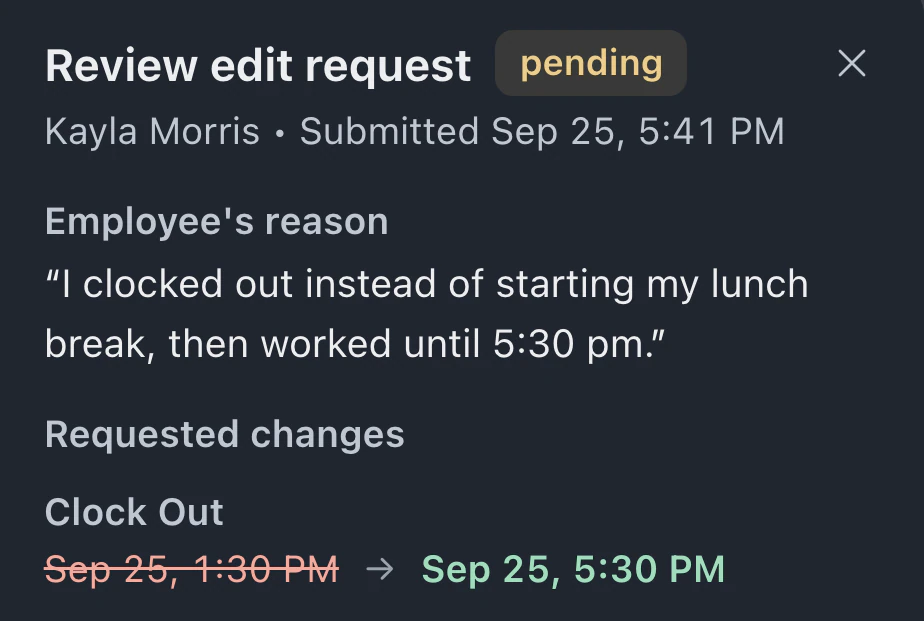
The owner or someone with "Edit time entries" can close and correct a shift from its time sheet row. Staff can choose "Request edit". Shifts open longer than 12 hours close automatically, marked "Auto-closed — review".
The owner sees current shifts and start times in "On the clock". Others need "View team time entries". Earlier shifts retain their edit history and can be filtered by date.
Pro and Business include payroll export. Hours and pay are calculated from recorded shifts and employee pay rates for the selected period.
Leave your email for access updates. Your name and shop name are optional.
 Watch the product tour 3:34 Follow a repair from check-in to pickup in BenchKey