How repair shops ask for Google reviews
Set up consistent review requests with a clear message, a direct review link, suitable timing, and respect for customer preferences.
Joe Montanti
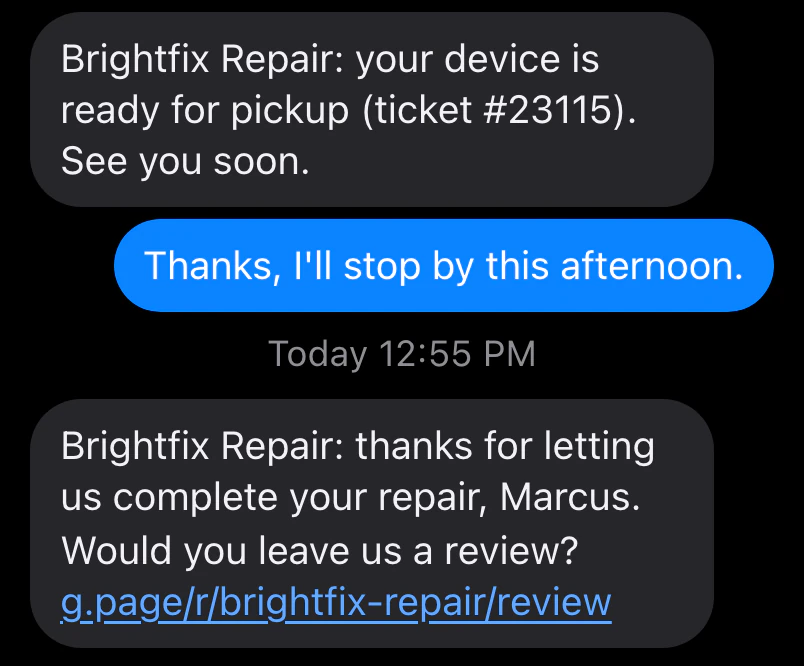
A busy counter can finish a repair and forget the follow-up. A consistent review request gives customers an easy way to describe their experience without adding another task to every checkout.
Reviews can help people evaluate your shop. Google says local results depend mainly on relevance, distance, and popularity, with review count and positive ratings among the signals. A request workflow cannot guarantee a ranking, review count, or rating. Google’s local ranking guidance.
Choose timing, channel, and link
Timing. Choose a delay that suits your shop. BenchKey’s review requests use in-store payment or delivered return-shipment triggers. Return-shipment requests also need review sending armed for the package. Quiet hours and cooldowns for repeat requests on the same ticket can delay or suppress a request.
Channel. Use an available email or SMS channel and respect the customer’s preferences. SMS requires the appropriate plan and configured provider. Check delivery results rather than assuming every request arrives.
Link. Use the direct review link from your Google Business Profile so customers can reach the right place without searching for your shop.

Write a neutral request
Two sentences are enough:
Thanks for trusting us with your MacBook, Dana. You can share your experience with our shop on Google here: [link]
Invite an honest review from eligible customers consistently, regardless of whether you expect a positive or negative response. You can draft the message yourself or review a draft from the AI assistant.
Follow the review rules
Google prohibits incentives for reviews and selectively asking for positive reviews. Avoid discounts, gifts, or a feedback screen that sends only satisfied customers to Google. Check the current Google review content policy when setting up your process.
Honor customer opt-outs. An SMS opt-out applies to that channel; review the customer’s recorded preferences and available delivery options before following up elsewhere.
Set up the workflow
- Copy your review link from Google Business Profile.
- Open the review request settings.
- Configure the payment or return-delivery timing, channels, message, and cooldown.
- Check the preview and sending state before enabling it.
- Review the delivery history and respond constructively to feedback.
Good follow-up gives customers a clear invitation. The decision to leave a review, and what it says, stays with them.