Running a repair shop on spreadsheets
Many repair shops begin with a spreadsheet. These counter examples show where separate files, paper notes and shared access can make the work harder.
Joe Montanti

Many shops begin with a spreadsheet. Columns for name, phone, device, problem and price give the counter a place to record each repair. If you handle the intake yourself, memory can fill gaps in the row. A familiar spreadsheet may serve that work well; check what happens when someone else needs the same information.
As work grows, keeping separate records in sync can become harder. These examples show where to look for friction in your own shop.
Intake: the passcode nobody can read
A customer drops off an iPhone at 9:40 on a Tuesday. The passcode goes on the paper ticket, scribbled while the phone is ringing and someone else is asking about a charging port. At 2:00, your tech picks up the device and stares at the ticket. Is that a 4 or a 9? Is the 1 actually a 7? He tries twice, stops before the phone locks itself for an hour, and calls the customer, who is at work and not answering. The repair is done by 2:15. Nobody can get into the phone.
The spreadsheet has a row for this job, but the passcode is on a separate paper ticket. The technician needs a readable record and a way to find it when the device reaches the bench.

Status: the sheet lives on one PC
Imagine the sheet lives on the front counter machine, where intake happens. You are at the bench, ten minutes into a heat gun job, when the phone rings. “Hi, just checking on my laptop?” You set the board down, walk up front, wiggle the mouse, scroll to row 214, and report that it is waiting on a part. Walk back. The board has cooled. Start over.
Repeated calls interrupt the bench. A shared status link can give customers a place to check routine progress.

Communication: the texts leave with the tech
Your best tech texts customers from his personal phone. You let it slide because it works, customers love him, approvals come back fast. Then he moves to Arizona. The new tech inherits the bench but not the threads. Every quote, every “yes, go ahead and replace it,” every photo of water damage that justified a charge, all of it lives in a phone that no longer works at your shop. Three weeks later a customer disputes a $280 repair, and your proof is in Arizona.

Money: the deposit lives in a cell
The $50 deposit goes in column H. The invoice is a Word template, Save As, customer’s last name, print. At month end the card terminal says you took one number and the spreadsheet says another, and the difference is hiding somewhere in fourteen Word docs, two refunds nobody noted, and one cell somebody overwrote sorting the sheet without selecting all the columns. You will find it eventually, on a Sunday, with a calculator and a bad attitude.

Memory: the customer from last year
A man walks in and swears you replaced this exact screen eight months ago and it should be under warranty. Maybe you did. That would be in “REPAIRS 2025,” a different file, sorted by a column that no longer exists, where his name is spelled two different ways. Your options: eat a screen you maybe should not, or argue with a customer while holding no evidence. Both cost money. One also costs the customer.
Reporting: revenue is a guess
Tax time. Or just a Tuesday when you wonder whether board-level work actually makes money or just makes you feel skilled. Revenue is whatever the SUM at the bottom claims, minus the rows from the week you were slammed and nobody typed anything. Hours are a photo of the whiteboard. Payroll needs the recorded hours, jobs and agreed rates before staff can check it. You are running a real business on numbers you would not accept from a parts supplier.

The tipping point is not size
Those scenes share a problem with access to the record. A sheet kept on the counter computer may work while one person handles the work. Add a tech or someone covering the counter, and both may need the same information. Separate copies can leave each person looking at a different version. Check how your spreadsheet handles shared access and edits before deciding whether it fits the shop.
In this example, the shop’s file setup depended on one person keeping the record current. Shared spreadsheets can support more people, but the shop still needs an agreed way to record the work.
What “a system” actually means
Not enterprise software. Not a six-week rollout. A system just means each breaking point finally has a home:
- Intake becomes repair tickets: device details and recorded condition photos give staff a repair record to review when a customer asks about a scratch.
- Configured status automations send updates when the state changes, and a customer status page gives customers a place to check recorded progress. Texting needs a connected provider on Pro or Business.
- Connected texts become messages on the ticket, sent from the shop’s number on Pro or Business. Conversations held only on a personal phone remain outside that record.
- The deposit and the invoice live in one place with invoices and payments, so you can review the recorded amounts together during reconciliation.
- Search a returning customer’s recorded repairs and warranty dates, and review duplicate customer records before merging them.
- Use reports to review recorded revenue and the time clock to review staff hours before preparing payroll.
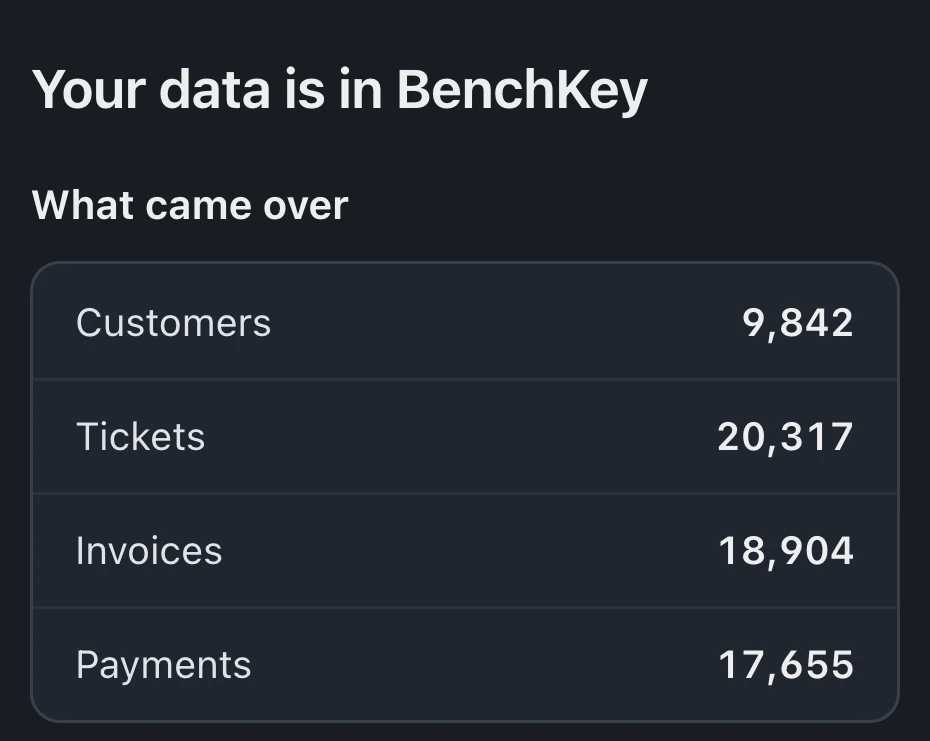
Export the spreadsheet to CSV and review the importer’s column mapping and preview before saving records. Start with a small sample; customer profiles remain after rollback. During the limited rollback window, unchanged imported records may be removed, while changed records and used or transferred stock remain. Some imports containing tickets, invoices or payments cannot roll back automatically. Check the saved result before the full move.

Keep it, until the day you can’t
Keep the spreadsheet while it supports the work your shop needs. Review shared access, payment reconciliation and repair history as staff or processes change. If people cannot find the current record, reconcile deposits or review an earlier repair, use those gaps to decide what the next system must handle.
When that day comes, join the waitlist for access updates and review the import guide before planning the move.