How to choose repair shop software
A practical checklist for choosing repair shop software: test intake, customer updates, payments and data access against the work your shop does.
Joe Montanti
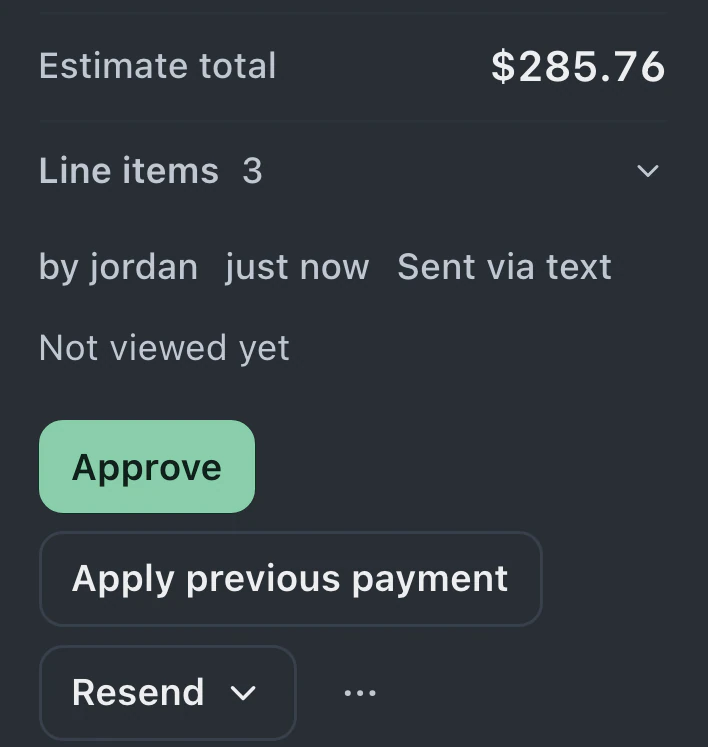
Staff use repair shop software throughout the working day, from intake and bench updates to payment and pickup. Customers see its messages and invoices. A feature-comparison table can help you shortlist products, but you need to test how each handles the work at your counter.
Use this checklist to choose representative repair flows, then test them with the staff who will use the software.
1. Watch the walk-in flow, with a timer
The single most common thing your software will do is turn a person at the counter into a ticket. Time it. From “customer walks in” to “ticket exists, label printed, customer has a link” should fit your counter workflow. Include a new customer and any condition, signature, or device-access fields your shop requires.
If intake takes five minutes of clicking through tabs, multiply that by every job you’ll ever take in. That’s the real price of the software, and it’s not on the pricing page.
Things to check:
- Can the customer review the agreement and recorded condition, then sign on a kiosk or tablet after staff create the ticket?
- Does it dedupe returning customers by phone and email, or will you have six records for the same person?
- How do staff print a device label from the ticket, and reprint it when needed?

2. Ask what the customer sees
Check the customer experience alongside the staff screens. Customers need to understand the repair status, the work awaiting approval and any balance due. Clear updates can reduce repeated status inquiries, while leaving customers a way to ask questions about their repair.
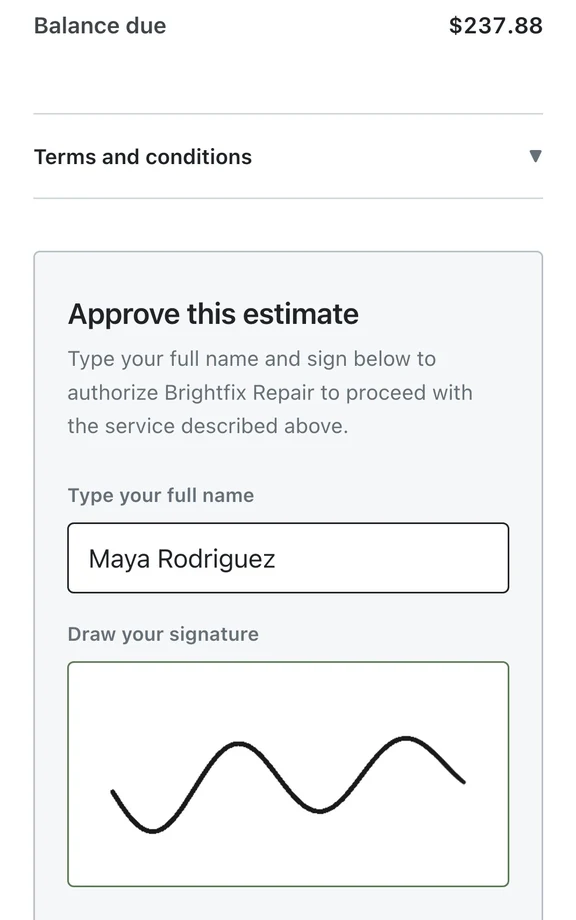
The modern answer is a live status portal: a private link where the customer watches the repair move through stages, approves the estimate, and pays the invoice. No app, no account, no login.
When you demo software, open the customer-facing view on your phone and ask honestly: would this make you trust a shop more, or less?

3. Follow the money path end to end
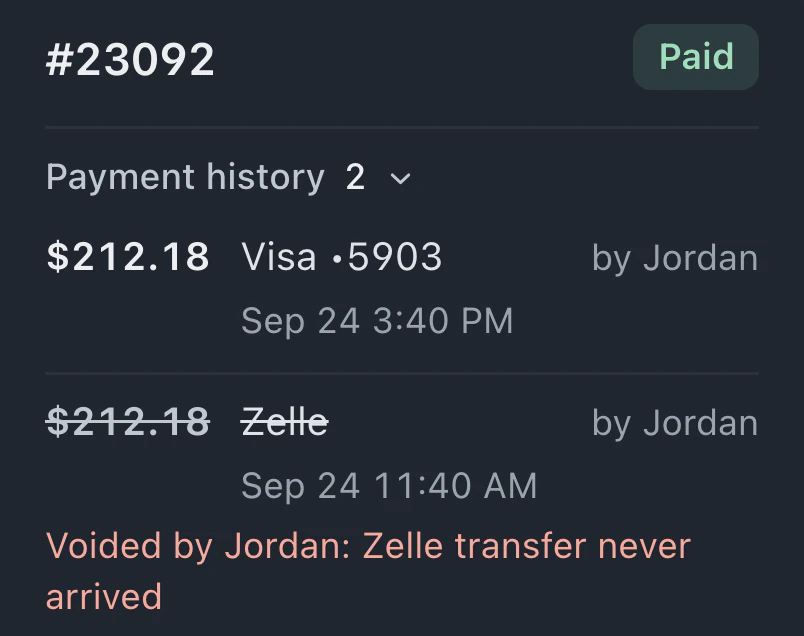
Trace one repair’s money story: estimate → approval → invoice → payment → receipt → your books.
- Is the estimate approval recorded, timestamped, attached to the ticket? Check how staff find the approval later if the customer asks about the agreed work.
- Can the customer pay by card at the counter, by link over text, and in the portal? Test the payment routes your customers use and check how the result appears on the invoice.
- How are receipts sent, and how do staff check delivery or send another copy?
- Does it reconcile with your processor, or do you discover discrepancies at tax time?
- Does the vendor take a cut of your payments? Read this fine print twice.

4. Probe the automation honestly
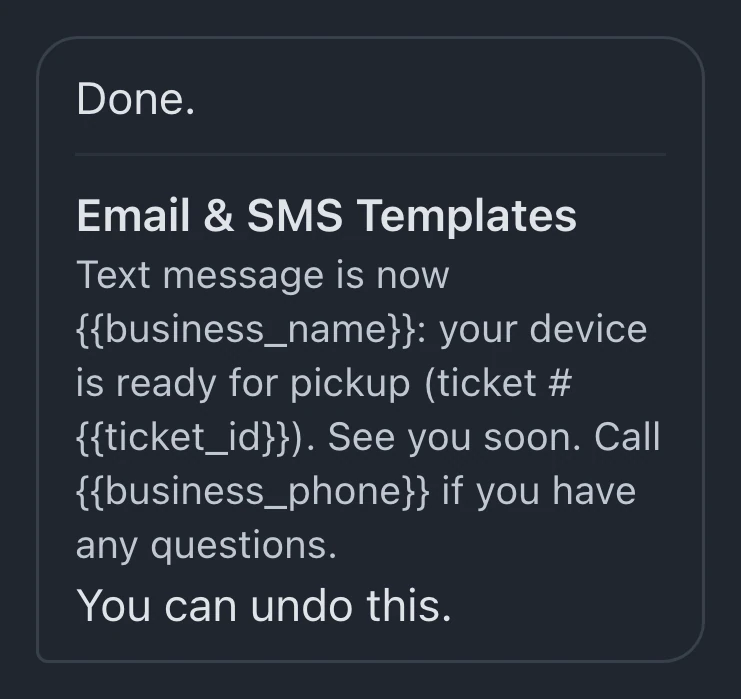
Every product says “automations.” The question is whether they’re wired to the way you actually work. The right shape is: statuses drive everything. When a ticket moves to “Ready for pickup,” the text goes out, the portal updates, and nobody had to remember anything.
Ask the vendor: “Show me what happens, everything that happens, when I change a ticket’s status.” If the answer is a visual settings page you understand in one look, good. If it’s a scripting language or a Zapier subscription, you’ve found hidden cost number two.
5. Check the trade fit, not just the logo wall
A phone repair counter lives on speed and parts inventory. A watch service bench lives on long timelines and mail-in flows. A data recovery lab lives on evaluation-first approvals and financing for four-figure jobs.
Generic software forces every trade through the same flow. Look for software where the intake forms, timelines, and statuses bend to your trade, not the other way around.
6. Plan the exit before the entrance
Two questions that reveal more about a vendor than any demo:
- Can I get my data in? Check whether the importer maps your source columns, shows a preview before saving and explains its rollback limits. Ask which records stay after rollback and which imports cannot be reversed automatically.
- Can I get my data out? If the answer is vague, you’re not buying software, you’re being acquired.

Test the repairs your shop handles
Once you have access, review the importer and try a small sample of your data. Check the mapping before importing: Undo can remove unused customer profiles the import created, but existing, used, changed or shared profiles stay. Then run representative repairs through intake, status changes, estimate, payment and pickup. Include counter staff and technicians in the test.
Record where staff needed help, where information was missing and whether saved amounts matched the repair. Use those findings alongside plan limits and provider requirements when deciding whether the software fits.
BenchKey is repair shop software built inside a working repair business. Join the waitlist while public access is paused.
Two checks that did not exist a few years ago
Ask what the AI actually does. Plenty of products say “AI-powered” and mean a help chatbot. The useful test: can it change settings for you? “Text customers when their repair is ready” should result in a configured automation, not a documentation link.
Ask how you would answer a chargeback. Recorded evidence supports a response. Check whether a case-file export gathers the ticket’s recorded history and lets you choose whether to include staff notes. Follow the processor’s evidence requirements; the export does not guarantee an outcome.