

Business profile & branding
Customers should see your shop’s brand everywhere they touch the system. Set it once in the business profile and it flows through, documents, emails, and the portal included.
Find where to set your shop details, logo, opening hours, tax and currency. (1 min 18 s)
Where it lives
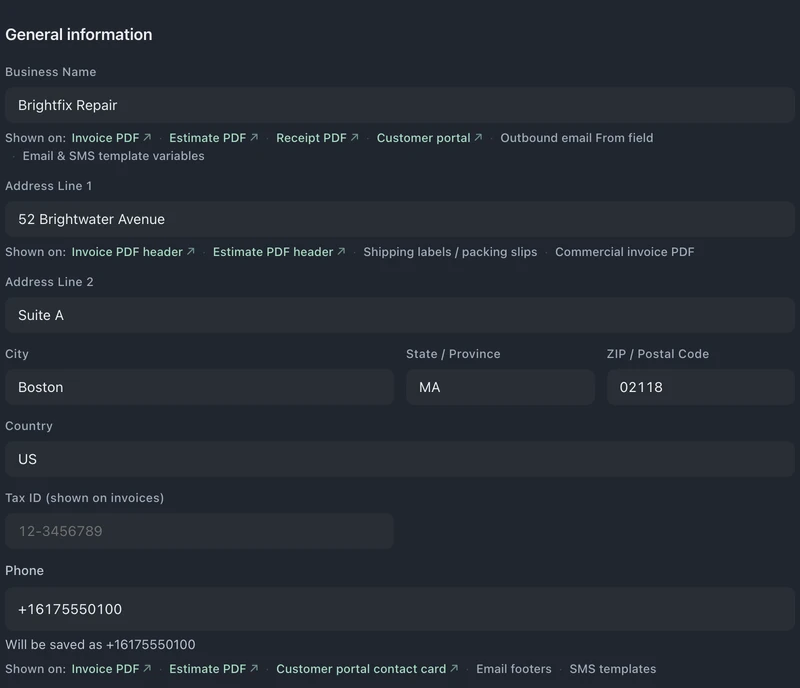
Section titled “Where it lives”Settings → Business → Profile holds the business information used across the whole system. Changes save automatically, there’s no save button to hunt for.
Your logo
Section titled “Your logo”Upload it once and it appears on:
- Invoice PDFs
- Estimate PDFs
- Receipt PDFs
- The customer portal header
- Email template headers
Brand colors
Section titled “Brand colors”You set three: primary, secondary, and accent.
- Pick each color on any plan, or on Pro and Business upload your logo and press Auto-detect from logo to fill all three from it.
- Check the live preview as you go.
The colors flow into emails, PDFs, packing slips, customer portal buttons, and the buttons in your email & SMS templates.
The legal fine print
Section titled “The legal fine print”Customer fine print is in Settings → Business → Terms, not on the Profile page. The picker includes Service agreement, Receipts and drop-off slips, Estimate approval, Kiosk agreement and Email footer.
Service agreement opens by default. In Template details and preview, choose Change / Advanced to see the fields below. These do not save automatically. Liability cap, under Review your choices, saves with Save changes once you choose a Business type. The day counts under Warranty and policy details save with Save policy details.
- Warranty length (days): how many days your repair warranty lasts. It is printed in the standard agreement, and the app also uses it to tell whether a returning repair is still under warranty.
- Unclaimed item notice (days) sets the pickup window after the completion notice. Final notice period (days) sets when the final notice is due, also counted from the completion notice. Unclaimed item sale period (days) sets the extra days after the final notice before the device counts as abandoned. These print in the standard agreement, so the abandoned-device conversation has paper behind it.
- Liability cap: the maximum liability stated in your service terms.
When you use BenchKey’s standard wording, these values fill the agreement once all its details are filled in. Check it with Preview terms. Customers sign it at check-in, on the kiosk and on the mail-in form, so every signature collects against the same terms. Changes apply to new signatures, and signed records keep what the customer accepted. If you use your own written agreement, these values do not change its wording.