

Memberships & recurring plans
Memberships are in beta, require Pro or above and must be enabled for your workspace. Automatic charging and automatic cycle invoices are switched off; staff collect membership payments themselves.
Memberships turn one-time repairs into recurring relationships: a named plan with a price and a billing cycle, members enrolled by email, and a member badge your whole team sees at checkout and on tickets.
Create a plan
Section titled “Create a plan”- Open Memberships in the left icon rail (marked beta) and choose Plans & members.
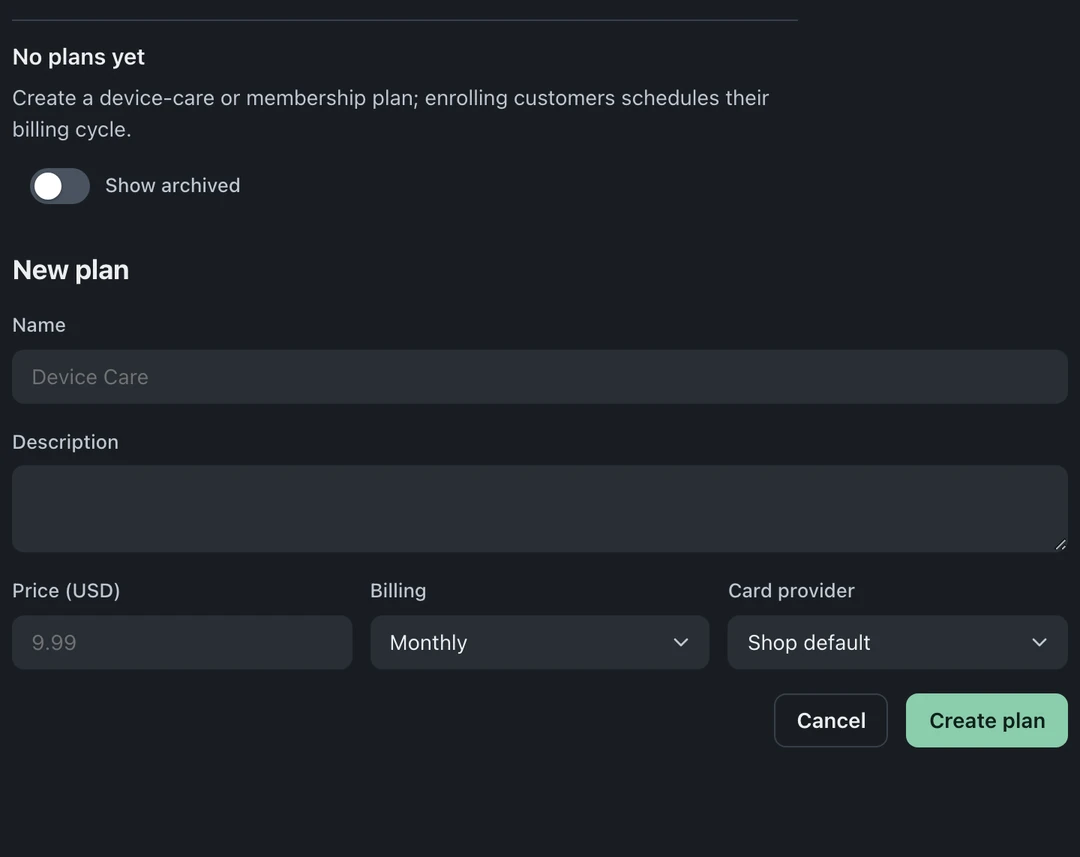
- Click New plan and give it a name, a price, and a billing interval. Saving the plan does not create an invoice or collect a payment.
- Save. The plan card shows its price and live member count from then on.
Once a plan has contract history, changing its price, billing interval or provider requires a new plan. Existing agreements keep their terms.
Enroll a member
Section titled “Enroll a member”- Select the plan, then type the customer’s email (or a ticket #) into the Members box and click Enroll.
- Enrollment records a cycle schedule with an anchor day. Short months adjust the scheduled day; the schedule does not trigger an invoice or charge while automatic billing is off.
- The member’s row shows their status (Active, Paused, Past due, Canceled), scheduled cycle date, and card state.
Search for an existing customer or choose New customer during enrollment. No separate check-in or ticket is required.
Card on file
Section titled “Card on file”Click Add card on a member row. The membership’s Square or Stripe setup handles capture. BenchKey stores provider customer and card references, brand, last four digits and expiry, not the full card number. Removal clears BenchKey’s reference; review any warning that removal at the provider failed.
How billing works today (read this)
Section titled “How billing works today (read this)”The panel states that automatic billing is switched off. While memberships are in beta:
- Due cycles do not create invoices or charge cards. Create any invoice you need and collect payment through your normal counter workflow.
- Saving a member’s card does not enable recurring charges.
- Plan, enrollment and status management remain available. Review member status and recorded payments before handling the next visit.
Pause, cancel, archive
Section titled “Pause, cancel, archive”- Choose Pause / Cancel from the member row and review the confirmation and effective date. Cancellation follows the plan policy and may take effect at period end.
- Archive a plan to stop new enrollments. Cycles during the archived period are waived when you unarchive. Debt already due before archiving is preserved separately. Unarchiving does not enable automatic cycle invoices or charges.
The member badge
Section titled “The member badge”Once enrolled, the member’s status badge shows on their customer card at Checkout and on their tickets. What membership earns them, priority bench time, waived diagnostics, a discount, is your policy at the counter; BenchKey shows the true status so your team never has to guess.
Do members get automatic discounts? No. The badge tells your team who’s a member; the perks are your call. There’s no hidden pricing engine rewriting invoices.
What plan tier includes memberships? Pro and up. Members you already enrolled keep their manage page (including cancel) whatever your plan does, the gate is on creating and running membership programs, never on a member settling their own membership.