

Customer records
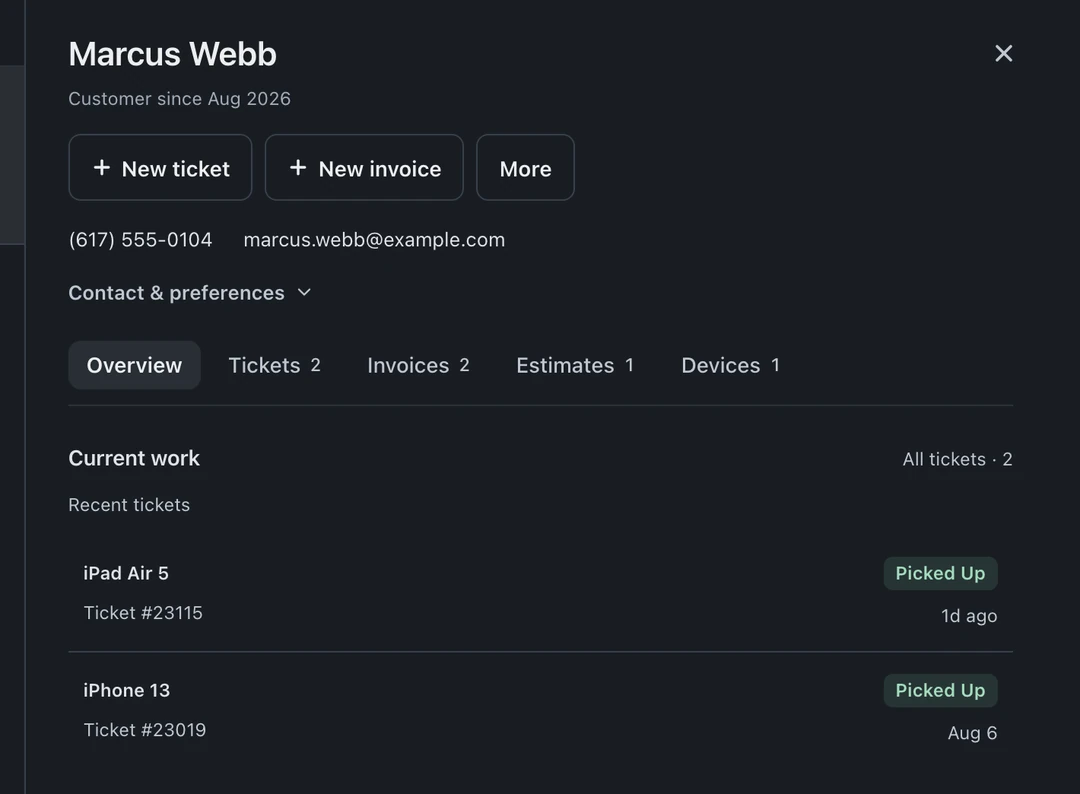
Every customer gets one record that accumulates their whole history: tickets, invoices, conversations, notes, and files. Open Customers in the left icon rail, search by name, email, or phone, and select the customer to open their profile beside the list. The counter answers questions from the record, not from memory.
What lives on a record
Section titled “What lives on a record”- Contact info, name, phone, email, address, editable inline from the record or any ticket.
- Every ticket and invoice, with status and totals, the full relationship at a glance.
- Notes, internal, visible to your team everywhere this customer appears (“prefers text”, “B2B account, net 15”, “always ask about the second laptop”).
- Files, anything attached at the customer level rather than a single ticket.
Merge duplicates
Section titled “Merge duplicates”People resubmit with a new email or a second phone number, duplicates happen. Find the duplicate in Customers and choose Merge customers from the profile actions: tickets, invoices, and history combine onto the surviving record. Check both records before merging, merges do not split back apart.
Returning customers, recognized everywhere
Section titled “Returning customers, recognized everywhere”The same identity follows the customer across the system: a lead from someone with an existing ticket shows a returning-customer panel with their active tickets and open estimates, and an incoming call pops their record before you answer.
Why this matters more than it looks
Section titled “Why this matters more than it looks”The customer record supplies the contact details for receipts and portal links and brings repair history into the case file. Staff can review the same details when a customer returns.