Shipping & tracking
When devices arrive and leave by carrier, the Shipping section keeps both directions honest, every shipment in one list, every tracking number on its ticket.
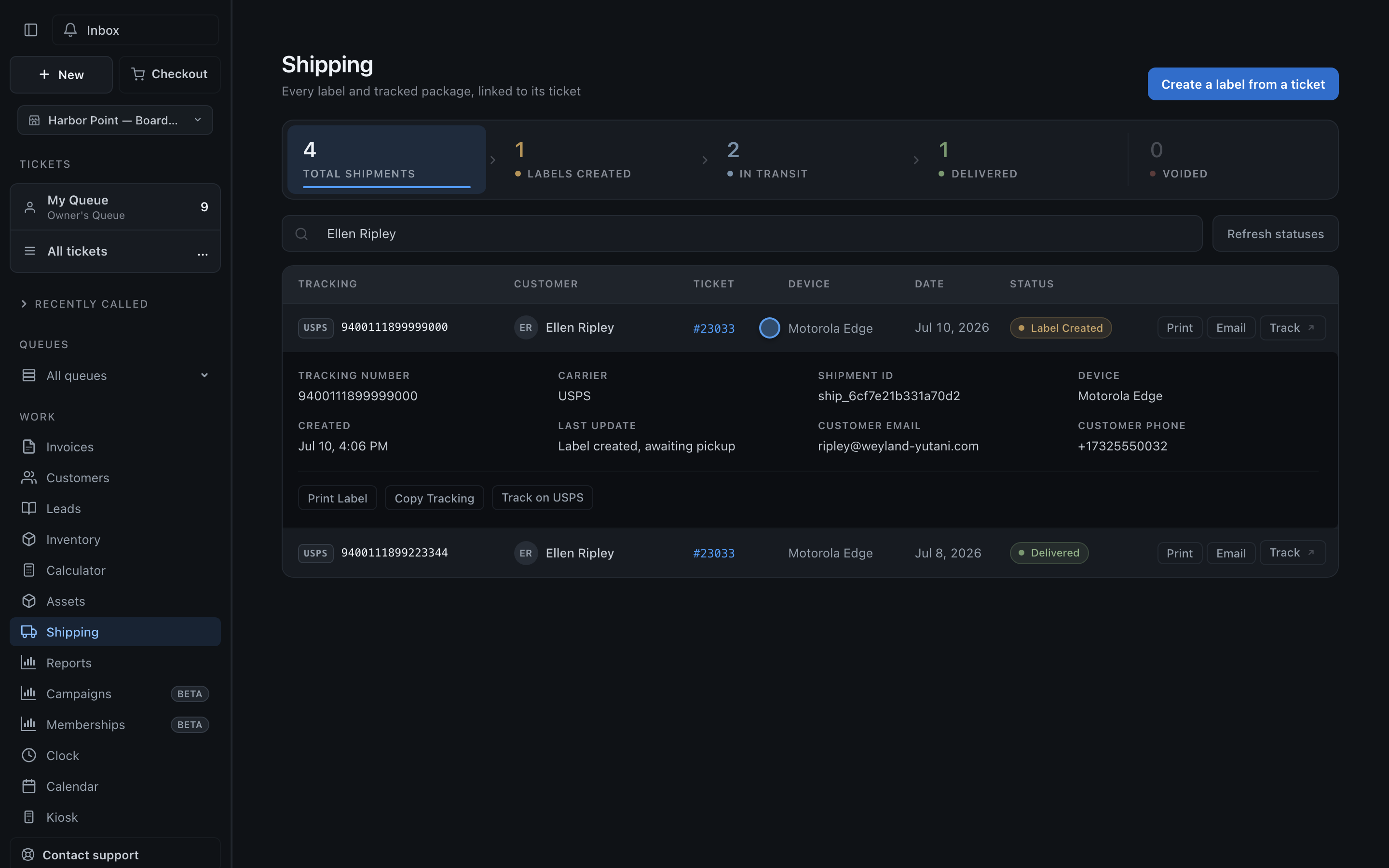
The shipping list
Section titled “The shipping list”The Shipping section lists every shipment, inbound and outbound, with totals at the top. Each shipment shows its status: label created, in transit, or delivered.
Creating a label
Section titled “Creating a label”- Open the ticket the shipment belongs to.
- Generate the label through your connected carrier account.
Bought the label somewhere else? Add the tracking number manually and it tracks the same way.
Tracking reaches the customer automatically
Section titled “Tracking reaches the customer automatically”Tracking attaches to the ticket and shows in the customer portal automatically. The customer gets the tracking number without anyone sending it by hand, no copy-paste, no “what’s my tracking?” calls.
Built for mail-in work
Section titled “Built for mail-in work”Mail-in shops use this heavily, in both directions: the inbound shipment that brings the device to you and the outbound one that sends it home. See mail-in repairs for the rest of that workflow.