

Email & SMS messaging
Este conteúdo não está disponível em sua língua ainda.
Ticket email is available on every plan and works without setup; Email setup brings your shop inbox into BenchKey and lets you send from your own address. SMS from your shop’s number requires Pro or above, a connected texting provider (in the US, a registered number), and a permitted recipient. On Standard, Text from your phone sends the same updates from your own phone.
Customer communication in BenchKey is attached to tickets, not trapped in a personal phone or a shared email login.
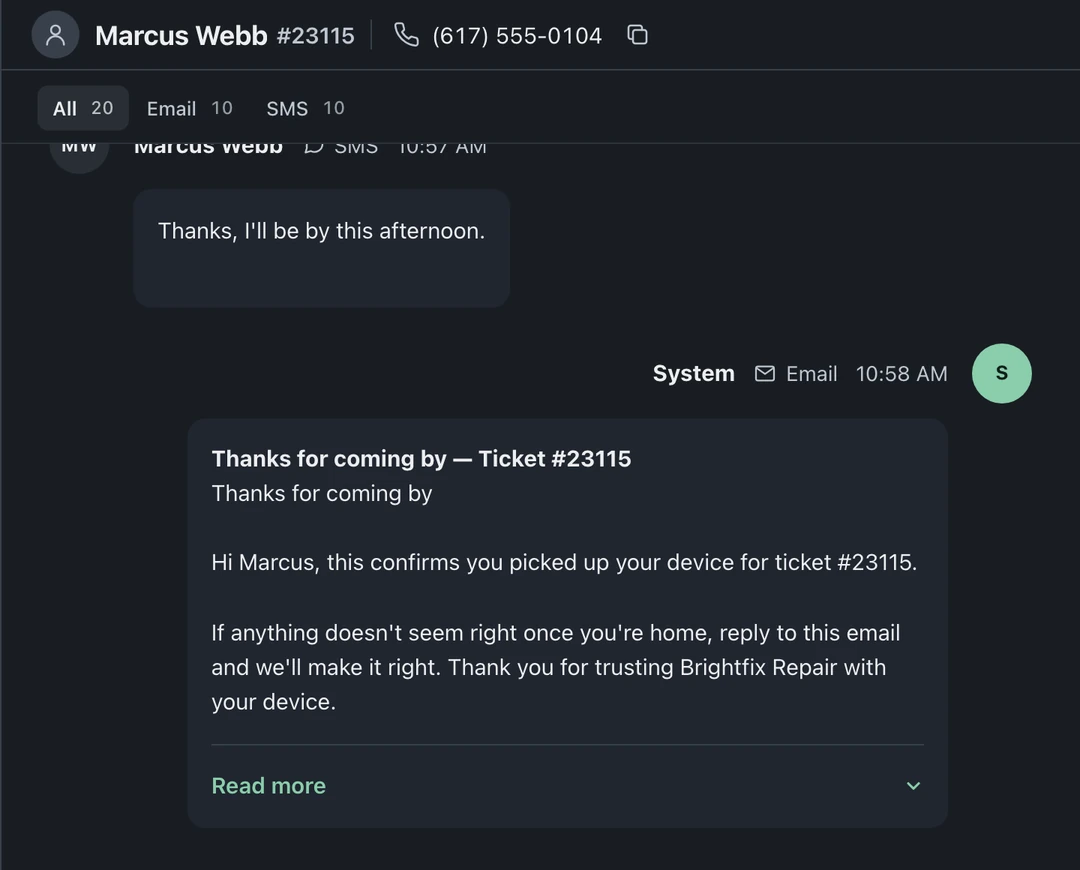
Threads live on tickets
Section titled “Threads live on tickets”Messages sent through BenchKey and matched incoming replies appear on their ticket. Staff with the relevant permissions can read the history and reply; the customer experiences one continuous conversation regardless of who answered.
Matched replies appear in the ticket’s conversation, move the ticket to Customer Reply and notify its assignee, watchers and queue members in their own Notifications. Unmatched texts and emails go to Leads on Pro and Business.
The inbox
Section titled “The inbox”In Notifications, Mine shows replies and activity for tickets you’re tied to, stacked per ticket to keep updates together. Read notifications can archive automatically at the configured age, measured from creation. BenchKey sets this age; shops cannot change it or disable auto-archive, and ticket message history remains available.
Sending messages
Section titled “Sending messages”- Manually, use the channel menu below the ticket conversation to choose Email, SMS, or Email and SMS. Check the recipient and Sending as name, type in Write a reply…, and choose Send. The All, Email, and SMS tabs filter the conversation history.
- Automatically, wire templates to statuses in Settings → Workflow → Statuses & Customer Messages
Templates and variables
Section titled “Templates and variables”Templates are edited in a visual editor and support variables: customer name, device, ticket number, portal link, shop details. Personalize the starter templates, automated messages work best when they sound like your shop wrote them.
Your own number
Section titled “Your own number”Connect Quo, RingCentral, or Twilio in integrations to send and receive SMS on your own business number. Quo is the deepest phone integration; RingCentral texting and incoming-call cards are live as well. The call card shows the caller and linked tickets in the navigation so staff can open the repair while the phone is still ringing.